Before starting a catch
Equip the Wooden Lute or another instrument, approach a wild scroom and play to start the encounter. The following click/tap and drag controls come from the reviewed catch walkthrough. Follow the prompts shown on your device if the interface changes. [source]
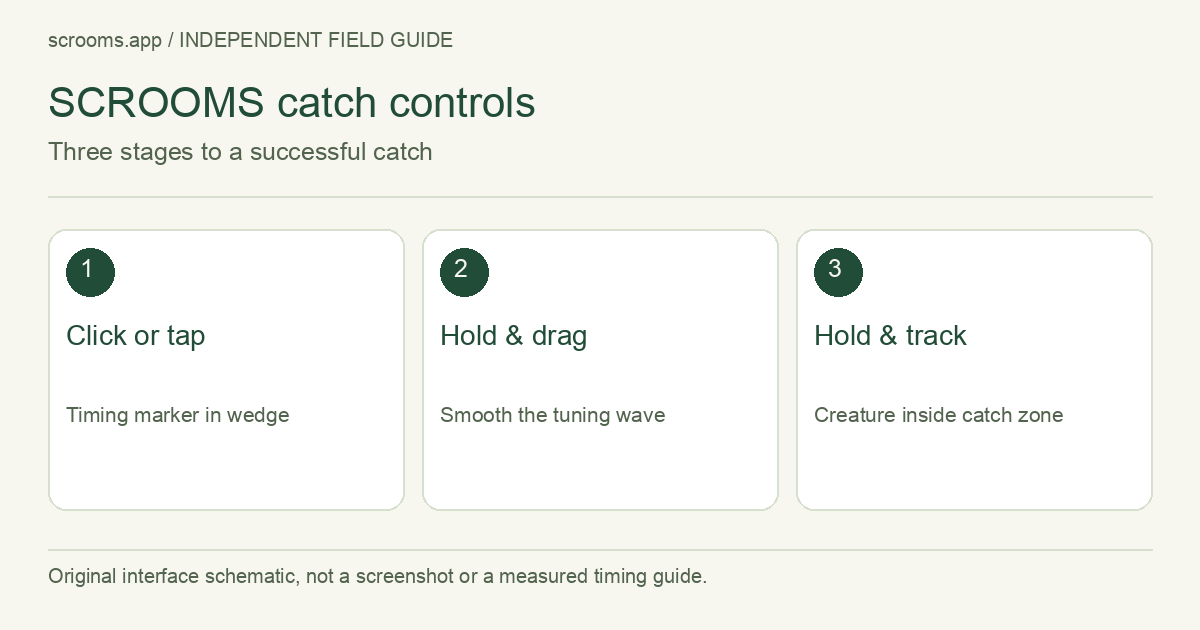
Click, tune, then hold the catch zone
Timing: click or tap in the marked wedge
On the circular gauge, click on PC or tap on mobile when the moving marker reaches the coloured segment. This is the initial timing stage.
Tuning: hold and drag the marker
When the frequency track appears, hold and move its marker. Watch for the jagged waveform to become smooth rather than treating a printed species band as a number-entry command.
Catch zone: keep the creature inside
After the countdown, hold and drag the creature icon along the track to follow the moving highlighted zone. Progress fills while it stays inside and drains outside.
Confirmation: read the result
A finished catch displays the creature name and its actual Hz reading. Use that result when updating the Index or your notebook.
Find the stage that failed
| Visible problem | Next check |
|---|---|
| No catch interface | Confirm the active instrument and nearby interaction. |
| Timing stage keeps repeating | Watch the circular marker; the frequency slider belongs to the next stage. |
| Wave remains jagged | Adjust the held tuning marker using small movements. |
| Catch progress drains | Track the moving zone with the creature icon; avoid a full-width sweep. |
| A different creature responds | Complete and read the result. A different species is not automatically a failed catch. |
Turn a result into a useful record
For a hypothetical Bluebell result of 60 Hz, save species = Bluebell and frequency = 60. If a tone prefix is present, copy it separately. The number lies within the current reference band, but the band alone would also fit other species. Use the frequency comparison to understand that overlap.
Good questions, clear answers.
Can I select a species by entering a frequency?
Does higher Luck guarantee the next rare creature?
No. The instrument table contains printed attributes, not measured catch probabilities.
Sources & review notes
Reviewed October 12, 2026. Game facts below are source-reported, not independently play-tested by this site. A link is not an endorsement.
- Catching with the Wooden Lute AllThingsHow · Community walkthrough
Tuning and catch-zone interface. Screenshots belong to their respective owners and are not reproduced here.
- Grove instrument cards and printed stats AllThingsHow · Community data
Four launch-era instruments. Stats are reported card values, not our gameplay measurements or catch-rate predictions.