Toastbud
Songkeeper’s Grove · 22.5–37.5 Hz
- Rarity
- Common
- Reported frequency
- 22.5–37.5 Hz
- Area
- Songkeeper’s Grove
- Collection
- Manual local record
Where Toastbud is reported
The Toastbud walkthrough places the Common creature in Songkeeper’s Grove and demonstrates the catch loop on grass near the spawn sign. [source] Equip your instrument and complete the timing, tuning and catch-zone stages. Confirm Toastbud on the finished catch result; a nearby creature or a frequency match alone is not a completed capture.
The source reports common rarity and a 22.5–37.5 Hz reference band. Use your game’s current Index if a displayed value differs. The illustrated bands below compare the registered data, not the appearance of a creature.
Toastbud frequency: what overlaps?
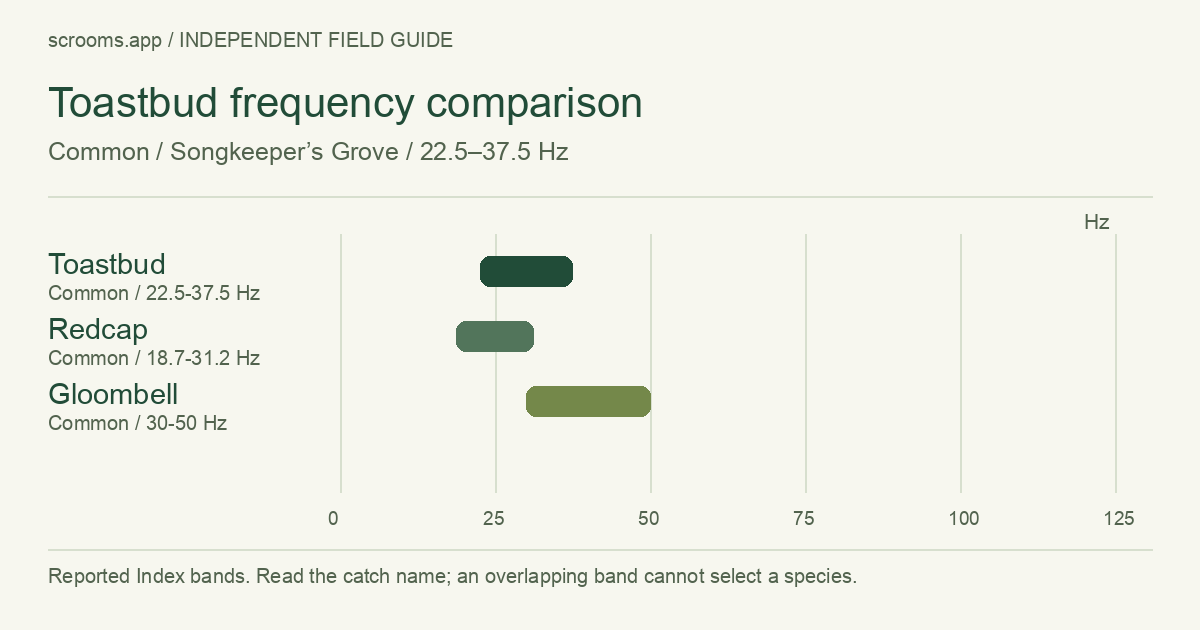
| Species | Rarity | Reference band |
|---|---|---|
| Toastbud | Common | 22.5–37.5 Hz |
| Redcap | Common | 18.7–31.2 Hz |
| Gloombell | Common | 30–50 Hz |
The source mentions a Toastbud hand-in to Ogg. Check your current request before selecting Sell Inventory: a collection mark confirms that you recorded a catch, but it does not mean you still hold that specimen.
Keep a Toastbud when Ogg asks for one
Open Ogg’s current dialogue and your Quest Log before selling. The source does not establish a universal reward amount or a requirement shared by every player. [source]
Keep a specimen needed by an active quest before selling a batch. The selling guide explains which inventory is included in a quote.
Record your Toastbud catch
Read the named result
Confirm Toastbud, then copy the actual frequency rather than substituting the band midpoint.
Keep tone labels separate
Record Melodic, Harmonic or Resonant only when shown. One creature may carry multiple labels; one species mark does not represent every tone.
Check the in-game Index
Compare the species entry and tone dates with the result. Then save a Toastbud catch record or use the manual mark above.
Good questions, clear answers.
Does a plain Toastbud complete all its tones?
No. A species entry and its Melodic, Harmonic and Resonant records are separate. Copy only the tone labels actually shown on your result.
Does this page show exact odds or a fixed selling price?
No verified probability or fixed sale-price table is available in this entry. Read the current merchant quote and keep your personal sample separate from game-wide odds.
Saved in this browser only. No Roblox login. Back up or erase your progress.
Sources & review notes
Reviewed October 12, 2026. Game facts below are source-reported, not independently play-tested by this site. A link is not an endorsement.
- Toastbud Index details AllThingsHow · Community data
Common; printed band 22.5–37.5 Hz; associated with Ogg.
- Catching with the Wooden Lute AllThingsHow · Community walkthrough
Tuning and catch-zone interface. Screenshots belong to their respective owners and are not reproduced here.
- Index completion, frequency ranges and tones AllThingsHow · Community data
Species and tone records are distinct. Printed bands may be rounded; do not treat them as enforced limits.
- Redcap Index details AllThingsHow · Community data
Common; printed band 18.7–31.2 Hz.
- Gloombell Index details AllThingsHow · Community data
Common; printed band 30–50 Hz; Cal and Bennie request context.